
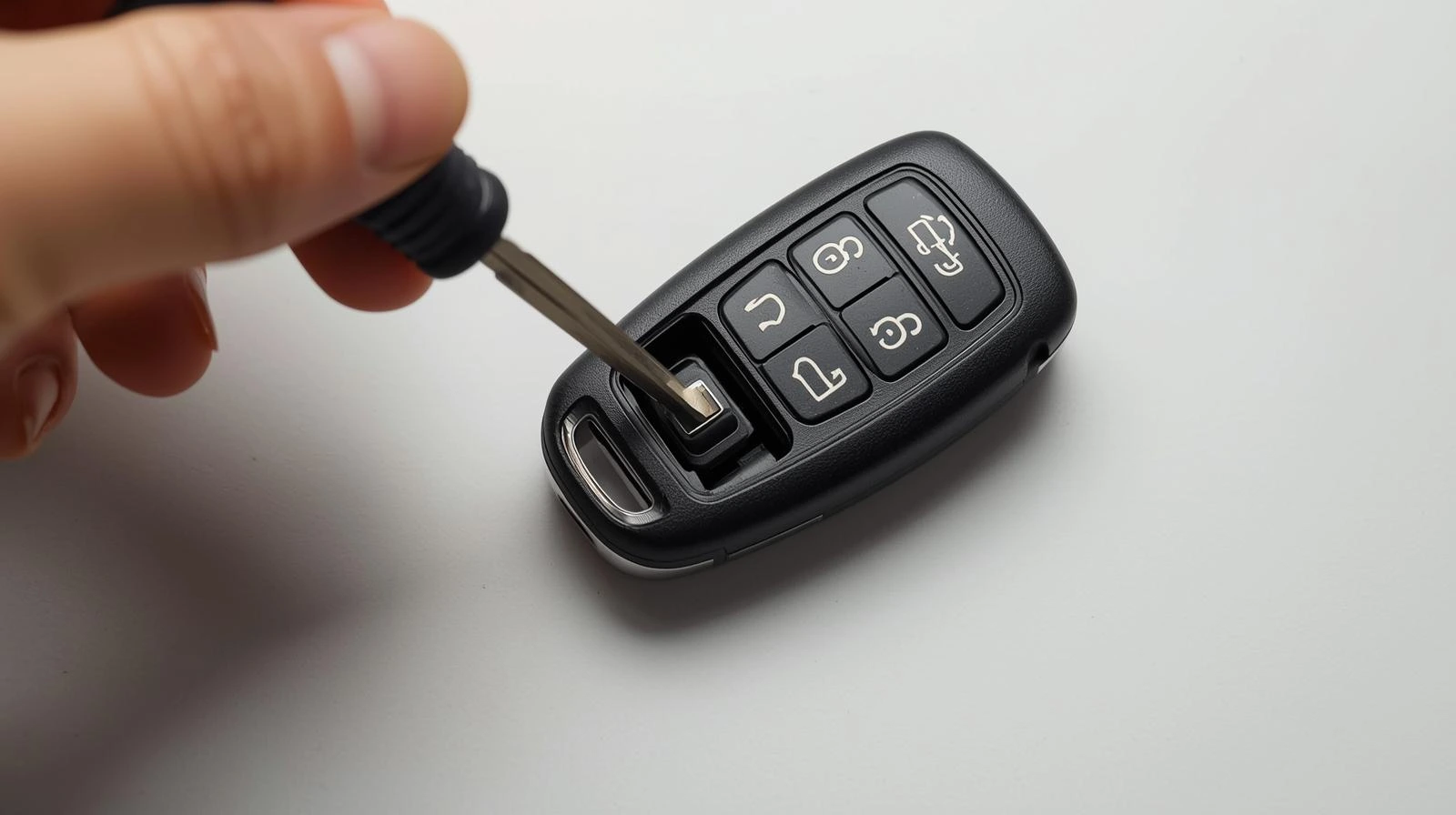
Your car’s remote key fob is an essential part of your daily routine. Whether it’s unlocking your car doors, starting the engine remotely, or securing the vehicle, it relies on the power of a small battery. Over time, like all batteries, the one in your car remote will need to be replaced. So, if you’re wondering how to change the battery in your car remote, don’t worry, this blog post will walk you through the entire process in simple, easy-to-understand steps.
Why Do You Need to Change Your Car Remote Battery?
Car remote batteries typically last between 1 to 3 years, depending on the frequency of use. When your car key fob starts to lose its range or the buttons stop responding properly, it’s usually time to change the battery. If you’ve noticed that your remote isn’t working as well as it used to, replacing the battery could solve the issue.
What You Will Need
Before you begin, make sure you have the following items ready:
- Replacement battery (Typically a CR2032 or CR2025 coin cell battery, but check your car’s manual)
- Small flathead screwdriver (For prying open the fob)
- Tweezers or small tool (To remove the old battery)
- A clean, flat surface (To avoid losing small parts)
Step-by-Step Guide on How to Change the Battery in Your Car Remote
Step 1: Identify the Type of Remote Key Fob You Have
Car remote key fobs come in various designs and types, but they all function the same way. Some are simple, while others are more advanced with buttons for additional features like remote start or trunk release. To ensure you get the correct replacement battery, check your car’s manual for battery specifications or take a look at the current battery inside the fob.
Step 2: Open the Car Remote Key Fob
To replace the battery, you need to access the inside of the key fob. Here’s how:
- Locate the seam where the two halves of the key fob meet. This is usually along the side.
- Use a small flathead screwdriver to gently pry open the key fob. Be careful to not use too much force to avoid damaging the case.
- If your remote has a screw, you will need to use a small screwdriver to remove it before opening the fob.
Step 3: Remove the Old Battery
- Take note of the battery orientation (which way it faces). This is very important when installing the new one.
- Remove the old battery using your fingers or a small set of tweezers. Be cautious not to damage any of the fob’s internal components.
- Dispose of the old battery properly according to your local regulations.
Step 4: Insert the New Battery
- Take the new battery and place it in the same orientation as the old one. The flat side (with the writing) usually faces upward.
- Make sure the battery sits snugly in place and doesn’t move around.
Step 5: Close the Key Fob
- Once the new battery is in place, carefully snap the two halves of the fob back together.
- If there’s a screw, screw it back in place to secure the fob.
- Make sure it’s closed tightly and there are no gaps.
Step 6: Test the Remote
After the key fob is back together, test the remote to make sure it’s working. Try pressing the buttons to check if the car doors unlock, the trunk opens, or any other functions work. If everything is functioning correctly, you’re done!
Tips for Maintaining Your Car Remote Key Fob
- Avoid water exposure: Car key fobs are designed to be durable, but they aren’t waterproof. Keep your key fob dry to extend its lifespan.
- Check for wear and tear: If the buttons on your key fob start to wear out, or if the fob itself looks cracked, it may be time to get a new one.
- Store your spare key properly: If you have a spare remote, store it in a safe place and keep it away from extreme temperatures.
FAQs
1. How do I know which battery my car key fob needs?
Each car key fob uses a different type of battery, but the most common are CR2032 or CR2025 coin cell batteries. Check your car’s manual or take a look at the battery inside your fob to identify the type.
2. Can I change the battery in my car remote myself?
Yes, replacing the battery in your car remote is a simple task that you can do yourself with just a few basic tools. Just follow the steps outlined in this guide, and you’ll have it done in no time.
3. What if my car remote stops working after I change the battery?
If your car remote isn’t working after you’ve replaced the battery, double-check that the battery is installed correctly and that the fob is properly closed. If the issue persists, it may be time for a new remote or further troubleshooting, such as checking the car’s receiver.
4. How often should I change the battery in my car remote?
Typically, you should change the battery in your car remote every 1 to 3 years, depending on how frequently you use it. If you notice reduced range or buttons not responding, it’s likely time to replace the battery.
Conclusion
Changing the battery in your car remote is a straightforward task that can save you time and money. By following the simple steps above, you’ll have your key fob working like new in just a few minutes. Always remember to handle your remote with care, and don’t forget to test it after replacing the battery to ensure everything is functioning properly. If you follow these steps, you should be able to enjoy a fully functioning car remote for years to come.